

 By
By TL;DR: Andhra Pradesh లో children social media ban వస్తుందా రాదా అని చూస్తూ కూర్చోకుండా, ఇప్పుడే free tools వాడి మీ పిల్లల screen time మీరే control చేయవచ్చు.
The “Page 7” Tea
ముందు ప్రభుత్వం ఏం చేస్తుందో అర్థం చేసుకుందాం. AP Chief Minister Chandrababu Naidu March 2026 లో AP Assembly లో మాట్లాడుతూ, “90 రోజుల్లో 13 సంవత్సరాల లోపు పిల్లలకి social media access ఉండదు” అని confirm చేశారు. Age limit 13 చేయాలా 16 చేయాలా అని final consultation జరుగుతుందని కూడా చెప్పారు. AP Government ఇప్పటికే Meta, Google, X, మరియు ShareChat వంటి major platforms ని పిలిచి global best practices discuss చేస్తోంది.
AP GoM study లో time-based restrictions, evening మరియు night hours లో login restrictions, మరియు account creation కి parental consent mandatory చేయడం అనే మూడు tools examine చేస్తున్నారు. China model లో daily gaming 1 hour కి limit చేసి OS-level real-name registration తో enforce చేస్తున్నారు. Australia model లో facial image verification వాడుతున్నారు, కానీ privacy concerns వల్ల ఇది controversial గా ఉంది. India Digital Personal Data Protection Act 2023 లో already under-18 పిల్లల data కి verifiable parental consent mandatory చేశారు, children data violations కి penalty 200 crore వరకు ఉంటుంది, కానీ enforcement ఇంకా పూర్తిగా మొదలవ్వలేదు.
India Economic Survey 2026 కూడా age-based social media access limits national policy గా recommend చేసింది, digital addiction తగ్గించడానికి ఇది అవసరమని స్పష్టంగా చెప్పింది.
అంటే ban రాక తప్పదు, ప్రశ్న ఏమిటంటే అది ఎప్పుడు వస్తుంది, ఎంత strong గా వస్తుంది అని. మీరు ఆ ban కోసం వేచి ఉండకుండా ఇప్పుడే tools వాడండి.
Top 5 Free Parental Control Apps: Rayalaseema Parents కోసం
Rayalaseema లో Android phones dominant గా ఉన్నాయి, budget phones మీద పని చేసే free tools ముందు చూద్దాం.
1. Google Family Link (Best Free Android Tool)
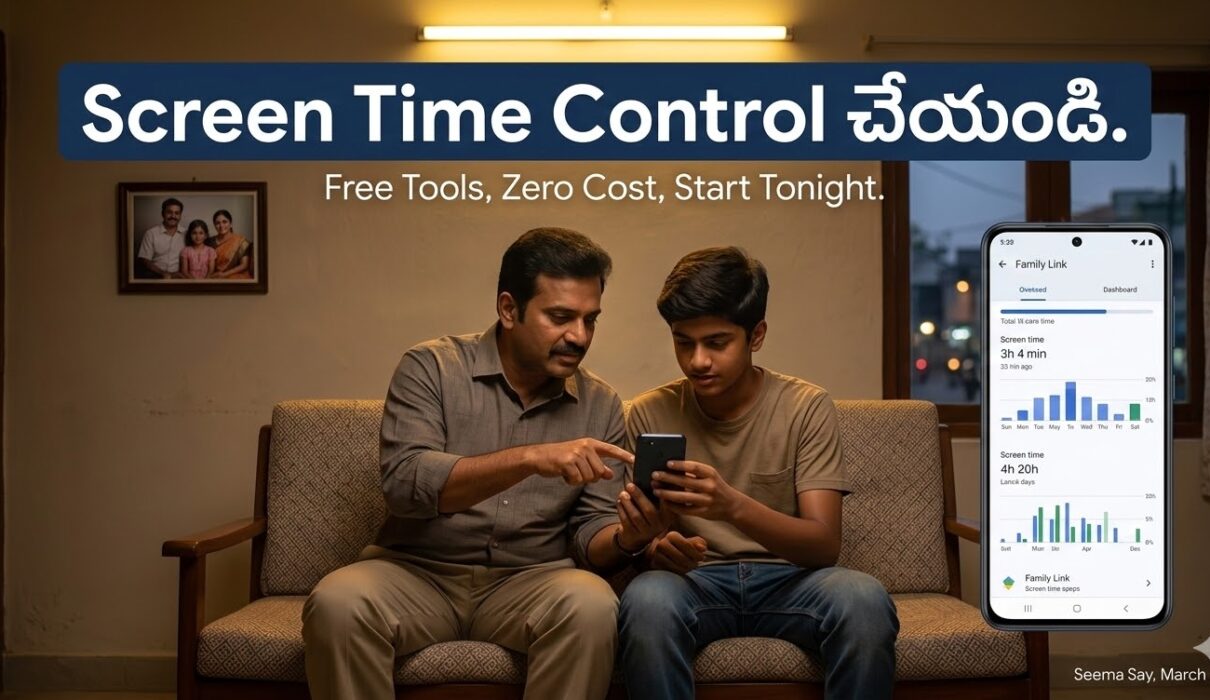
పూర్తిగా free, Android phones కి best option. ఈ app వాడి daily screen time limits set చేయవచ్చు, play store నుండి apps install కి parent approval mandatory చేయవచ్చు, device lock and unlock చేయవచ్చు, location track చేయవచ్చు. Setup కి 15 minutes మాత్రమే పడుతుంది. ఒక్క limitation ఏమిటంటే, పిల్లలు 13 సంవత్సరాలు దాటితే supervision disable చేయగలరు.
2. Qustodio (Free Plan Available)
Free plan లో web filtering మరియు single device screen time management వస్తుంది. Paid plan Basic లో 5 devices కి 4.58 dollars per month, Complete plan లో unlimited devices కి 8.33 dollars per month. YouTube monitoring, WhatsApp monitoring, real-time location tracking వంటి features ఉన్నాయి.
3. Apple Screen Time (iPhone వాళ్ళకి)
iPhone వాళ్ళకి built-in గా ఉంటుంది, extra app install అక్కర్లేదు. Downtime schedules, app limits, purchase restrictions built-in గా వస్తాయి, పూర్తిగా free.
4. Microsoft Family Safety (Windows PC Users కి)
Kadapa మరియు Kurnool లో government school computers, home Windows PCs కి ఇది best option. Xbox, Windows devices అన్నీ ఒకే dashboard నుండి manage అవుతాయి.
5. Kids Place (Kiosk Mode App, Free)
Budget Android phones కి perfect. Pini లా పనిచేస్తుంది, పిల్లలు allowed apps మాత్రమే వాడగలరు, phone settings access చేయలేరు. 3 నుండి 8 సంవత్సరాల పిల్లలకి best.
Android లో Screen Time Step-by-Step Setup చేయడం ఎలా?
Rayalaseema లో mostly Samsung, Realme, Redmi phones వాడతారు, వాటికి ఈ steps పని చేస్తాయి.
Google Family Link setup:
- Parent phone లో Google Family Link app install చేసుకోండి, Google Play Store లో free గా దొరుకుతుంది.
- పిల్లల phone లో Google Family Link for children app install చేయండి.
- Parent phone లో family group create చేసి, పిల్లల Gmail account link చేయండి.
- Settings లో daily screen time limit set చేయండి, recommended: school days కి 2 hours, holidays కి 3 hours.
- Bedtime schedule set చేయండి, రాత్రి 9 గంటలకి automatic lock.
- Approved apps list తయారు చేయండి, YouTube, Instagram వంటివి block చేయండి.
Samsung phones లో built-in Digital Wellbeing కూడా ఉంటుంది, Settings లో Digital Wellbeing and Parental Controls లో direct గా setup చేయవచ్చు.
BSNL Broadband Users కి Router-Level Content Filtering
Rayalaseema లో BSNL broadband dominant, రోజూ రాత్రి పూట పిల్లలు WiFi వాడి harmful content చూస్తే individual app controls bypass చేస్తారు. Router level లో block చేయడం stronger solution.
BSNL router settings open చేయడానికి browser లో 192.168.1.1 type చేయండి. Default username admin, password admin లేదా telecom. Settings లో DNS settings మార్చండి, Cloudflare Family DNS వాడండి: Primary DNS 1.1.1.3, Secondary DNS 1.0.0.3. ఇది adults-only content automatically block చేస్తుంది, ఏ device వాడినా. Google Family DNS కూడా వాడవచ్చు: 8.8.8.8 పక్కన SafeSearch enable చేయండి. ఇవి free గా పని చేస్తాయి, monthly cost ఏమీ లేదు.
School-Level Solutions: Kadapa, Kurnool Government School Headmasters కి Guide
School లో phones పూర్తిగా ban చేయడం practical కాదు, కానీ controlled usage possible. ముందు School Digital Policy document prepare చేయండి, phone usage hours specify చేయండి. Android MDM tools అంటే Mobile Device Management tools వాడి school-provided tablets లో apps control చేయవచ్చు. Free option: Google Workspace for Education, government schools కి free గా వస్తుంది. Parents WhatsApp group లో monthly screen time report share చేయడం awareness పెంచుతుంది. Class 6 నుండి పైన పిల్లలకి Digital Literacy periods week లో ఒకటి పెట్టండి, safe internet use చెప్పండి.
Harmful Content Report చేయడం ఎలా?
NCPCR అంటే National Commission for Protection of Child Rights కి report చేయవచ్చు. Website: ncpcr.gov.in. Helpline number: 1098. Cyber crime కి cybercrime.gov.in లో report చేయవచ్చు. AP state level లో Disha Helpline: 181. Online harassment మరియు harmful content రెండూ ఇక్కడ report చేయవచ్చు.
Seema Say Impact: Who Wins, Who Loses?
గెలిచేవారు ముందు చూద్దాం. School-going పిల్లలు, ముఖ్యంగా Class 6 నుండి Inter students, ఈ tools వాళ్ళ parents వాడితే study time improve అవుతుంది. Working parents, ముఖ్యంగా Gulf కి వెళ్ళిన తండ్రులు, ఇంట్లో పిల్లల phone usage remote గా monitor చేయగలరు. Government schools లో infrastructure improve అయితే students safe internet వాడగలరు.
కష్టపడే వారు కూడా ఉన్నారు. Teens, ముఖ్యంగా 13 నుండి 16 సంవత్సరాల పిల్లలు, restrictions bypass methods వెతుకుతారు, VPN వాడతారు. Parents కి tech literacy తక్కువగా ఉంటే ఈ tools setup చేయడం challenging గా ఉంటుంది. Small town Kadapa, Kurnool లో digital literacy workshops అవసరం.
NRI Desk: Gulf మరియు USA లో ఉన్న Parents కి
Gulf లో ఉండి India లో పిల్లలని చూసుకుంటున్న parents కి specific solutions చెప్పాలి. Google Family Link remote గా పని చేస్తుంది, మీరు Dubai లో ఉన్నా Kadapa లో పిల్లల phone lock చేయవచ్చు, app approvals ఇవ్వవచ్చు, location చూడవచ్చు. Jio Family Plan వాడితే India లో పిల్లల SIM కి data limits set చేయవచ్చు, unlimited internet ఇవ్వకుండా daily 1 GB కి restrict చేయవచ్చు. Airtel Safe Browsing Plan కూడా ఉంది, monthly 99 rupees కి adult content automatic block అవుతుంది. USA లో iPhone వాళ్ళు Apple Family Sharing తో India లో పిల్లల iPhone screen time remotely control చేయగలరు. International calling వద్దు, app లో నేరుగా manage అవుతుంది.
Cross-country screen time management కి best setup: Parent phone USA లో Google Family Link, పిల్లల phone Kadapa లో Android, both same Gmail family group లో, real-time sync అవుతుంది.
Vibe Check: W
Ban వచ్చినా రాకపోయినా, పిల్లల screen time control చేయడం parents responsibility. ప్రభుత్వం 90 రోజుల్లో under-13 ban implement చేస్తుందని CM Naidu చెప్పారు, ఆ ban వచ్చాక platform level controls వస్తాయి, కానీ home level controls parents చేయాల్సిందే. Free tools ఉన్నాయి, setup simple గా ఉంది, ఇప్పుడే మొదలుపెట్టండి. ఇది W.
Sources
- VN Express / Reuters, “Indian state considers social media ban for children over screen time concerns,” January 29, 2026
- Newsable Asianet, “Social media ban for children under 16, Karnataka, AP mull move,” March 5, 2026
- Hindustan Times, “After Karnataka, Andhra Pradesh mulls social media ban for minors,” March 5, 2026
- New Indian Express, “Why Andhra Pradesh and Goa are considering a ban on social media for children,” February 4, 2026
- Reuters, “India should consider age-based limits for social media access, economic adviser says,” January 29, 2026
- Open The Magazine, “Andhra Pradesh’s Push to Limit Social Media Access for Children,” January 28, 2026
- TechRadar, “Best free parental control app of 2026,” January 15, 2026
- DevTeam Space, “10 Best Parental Control Apps for Android in 2026,” March 3, 2026
- Safety Detectives, “9 Best Parental Control Apps for Android, Tested in 2026”
- Digital Personal Data Protection Act 2023, Section 9, DPDPA Portal
- PRS India, “The Digital Personal Data Protection Bill, 2023”